
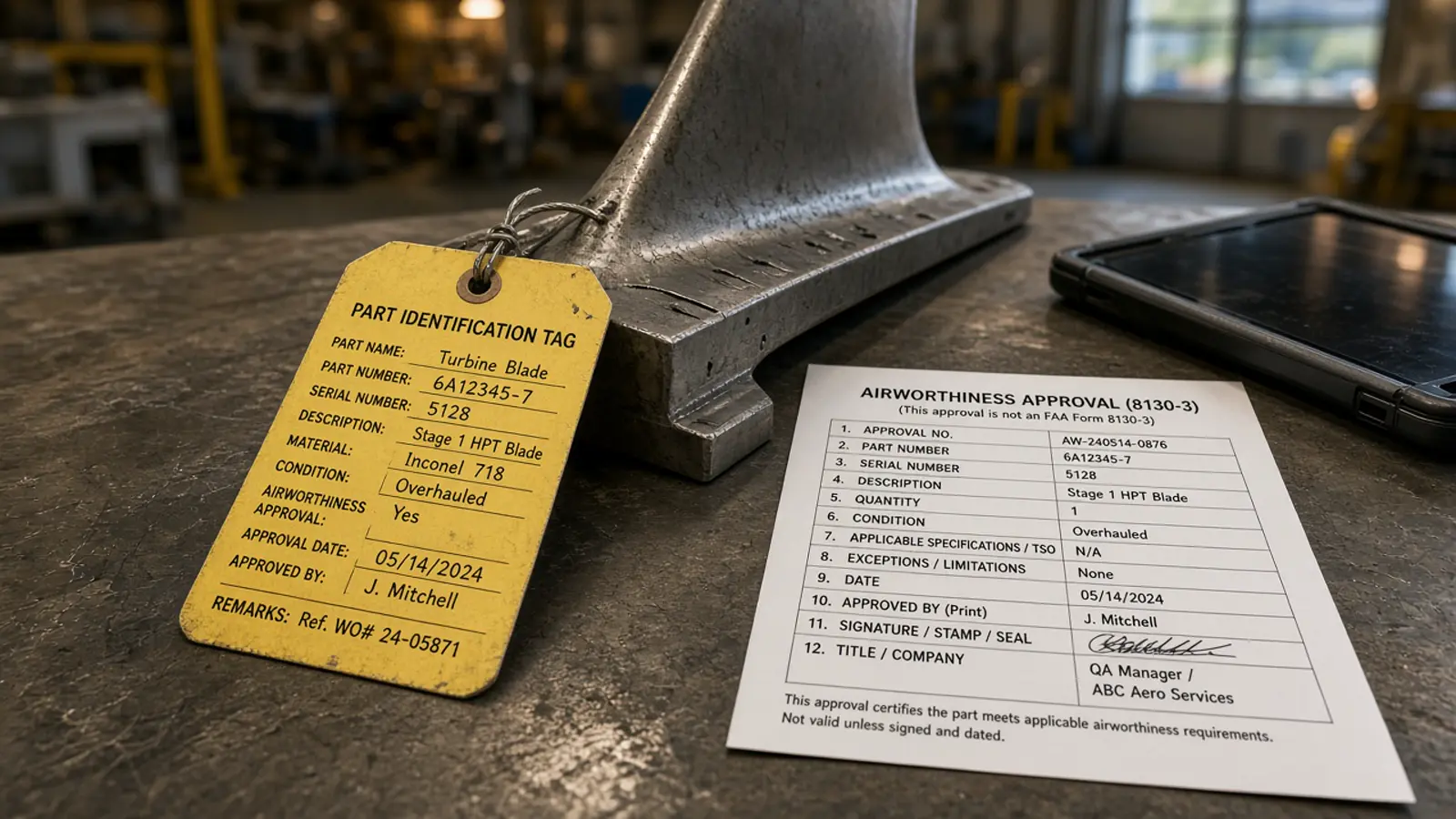
No. ChatGPT cannot “run” an FAA 8130-3 through Doana the way it extracts an EASA Form 1. Doana’s public tool is extract_easa_form1. Reading an 8130-3 in chat is transcription plus human review, not a Doana FAA API.
That distinction matters because both documents are release certificates. Similar blocks tempt people to send an 8130-3 to the EASA tool and treat documentType: unknown as FAA data. This how-to keeps transcription, interpretation and product availability apart.
What ChatGPT can read on an 8130-3
Visible printed or clearly scanned blocks. If your ChatGPT environment supports the attachment, ask it to transcribe values into a table with a column for the block or source location. Keep unreadable text marked as unreadable. A plausible-looking identifier can still contain a mistaken character.
The FAA identifies this document as the Authorized Release Certificate, Airworthiness Approval Tag. Start with its official form and policy references. ChatGPT does not replace that guidance.
A useful prompt is:
Read the visible information on this FAA 8130-3. Preserve part and serial numbers exactly. Separate transcription from interpretation. Identify unclear fields and do not decide whether the part is eligible for installation.
Review the transcript yourself. Doana is not in that loop unless you later extract a different file that is an EASA Form 1.
What must stay human
Interpretation of release statements, eligibility to install, and any customs meaning. First compare identifiers, quantities and remarks with the original. Then have the appropriate reviewer interpret the release statements and any conditions. Similar block layouts do not make different certificate types interchangeable.
For a packet containing several documents, keep each transcript associated with its own source. Avoid blending an invoice description into a certificate field that is blank. Do not let the model “correct” a serial so it matches inventory.
Airworthiness and customs clearance remain outside the chat. A neat table is not a release.
How this differs from EASA extraction
Doana’s public tool catalog currently advertises extract_easa_form1, not a dedicated FAA 8130-3 tool. There is no FAA output schema in the public OpenAPI contract and no REST extract endpoint. Sending an FAA-only PDF to extract_easa_form1 is not how you obtain FAA fields.
EASA extraction, when it succeeds with a Form 1, returns documentType easa_form_1, uncertainFields, and arrays for serial numbers. None of that is an FAA product. Do not paste EASA JSON onto an 8130-3 review sheet and relabel the columns. If the EASA tool returns documentType: unknown, that is usually a succeeded job with no Form 1 — still not an 8130-3 parse.
If you need a supported agent extraction path today, see EASA Form 1 via MCP. Keep the 8130-3 in a transcription folder named for what it is.
Read blocks without inventing a schema
Use a source-bound table. The rows below are a reading checklist, not a Doana schema and not a claim that every 8130-3 you receive uses the same completion practice. Confirm against the FAA form and your quality procedure before any mapping.
| Area to transcribe | What the assistant may copy | What stays human |
|---|---|---|
| Tracking / form identity | Visible numbers and organisation names as printed | Whether the tag is the right document for this part |
| Item identity | Part number, quantity, serial or batch as printed | Matching a physical item after unclear characters |
| Status / work | Visible status words | Whether that status is acceptable for the next operation |
| Remarks / conditions | Visible remark text, marked [unreadable] where needed | Regulatory meaning of those remarks |
| Approval / signature area | Visible names, dates, approval numbers as printed | Validity of the release |
If a cell is blank on the scan, the table cell stays blank or [unreadable]. Filling it from “typical 8130-3 practice” is invention.
Dual-release packets
Dual-release packages require a human to say which certificate is being read before any mapping. They can contain an EASA Form 1 and an 8130-3 that look related. Blending them in one chat table hides which source supported which value.
If you also have an EASA Form 1 in the same packet, extract that file through Doana using the ChatGPT MCP app, in a separate turn, with a separate job_id. Do not send the FAA-only file to extract_easa_form1 on the assumption that a similar layout makes it supported.
For MAG dual-release practice on used US tags, use your airworthiness procedure and EASA/FAA guidance. Doana does not add a dual-release tool.
Scan quality
A dark photocopy, a skewed phone photo, or a stamp over a serial will cause missed characters. Ask ChatGPT to list blocks it could not read, then mark those gaps unreadable instead of guessing the covered character. Convert TIFF to PDF, JPEG or PNG first.
Do not upscale or heavily recompress in a way that invents edges. If the stamp covers Block data, the reviewer looks at the paper or a better scan.
When to talk to Doana
When you need a programmatic FAA workflow with an advertised tool name, schema and acceptance tests. Provide redacted examples of the actual forms and scan quality you receive. Agree how part numbers, serial numbers, quantities and remarks should be represented. Include unreadable fields and dual-release cases.
Until that tool exists, discuss your requirements with Doana. Do not plan production jobs against extract_easa_form1 for FAA-only tags. A successful EASA OAuth prototype is not FAA support.
Read the FAA API availability checklist and keep the FAA MCP limits page with your integration notes.