
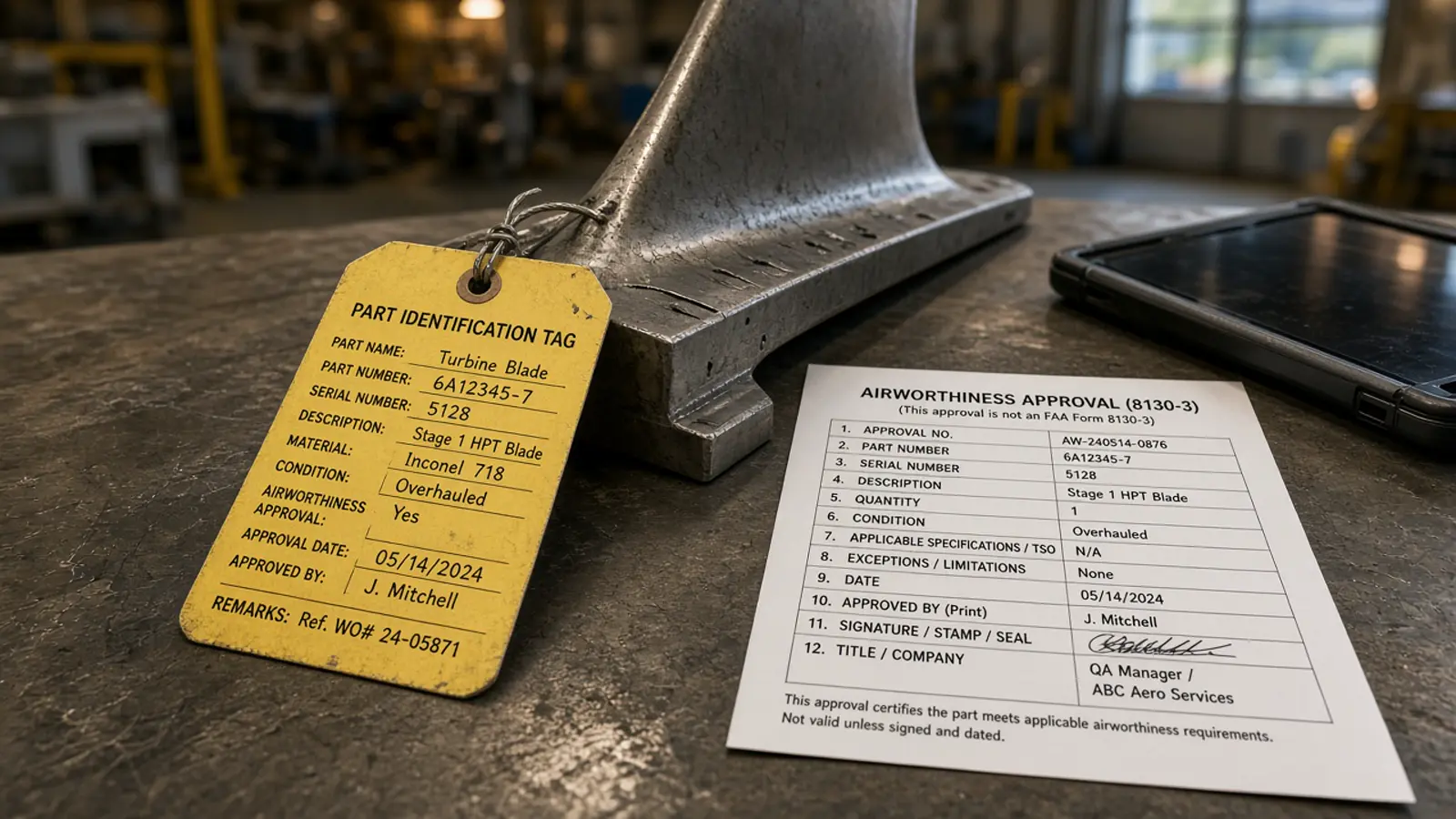
An 8130-3 in a receiving folder is evidence nobody can search. Pulling the tag into structured fields lets the receiving inspector check it against the PO and the invoice, and lets the work order carry the tracking number instead of a scan reference.
TL;DR. The current FAA Form 8130-3 layout mirrors EASA Form 1: Blocks 1 to 12 identify the article, 13a to 13e are the production release, 14a to 14e the maintenance return to service. Tags printed on older editions number the blocks differently, so an OCR tool should map by printed label. After the 2025 split, Part 21 completion is in Order 8130.21J and maintenance return to service in AC 43-9D. Doana's web app reads the certificate type and part numbers from 8130-3 tags. Every 8130-3 block, field by field, is available in a custom extraction pipeline; self-serve box-by-box extraction is EASA Form 1.
Which blocks carry the data?
On the current layout (FAA Form 8130-3):
| Block | Content | What receiving checks |
|---|---|---|
| 1 | Approving civil aviation authority / country | FAA/United States |
| 3 | Form tracking number | Unique per tag |
| 4 | Organisation name and address | Matches the certificate number in 13 or 14 |
| 5 | Work order / contract / invoice | Ties to your PO |
| 6 to 10 | Item, description, part number, quantity, serial | Against the PO line and the physical part |
| 11 | Status/work | NEW, PROTOTYPE, USED on Part 21; maintenance terms on 14 |
| 12 | Remarks | Dual release statement, AD/SB, deviations |
| 13a to 13e | Part 21 production release | New articles |
| 14a to 14e | Return to service | 14 CFR 43.9 or other regulation named in Block 12 |
Older editions put remarks in a different block. A template-based OCR that reads "Block 13" as the production release will mislabel those tags. Read the printed heading.
Block 11 terms after the split: FAA 8130-3 Block 11. Completion rules: Order 8130.21J for Part 21 and AC 43-9D for maintenance.
What should go into the work order?
Filing the PDF against the part record keeps the evidence. It does not let anyone query it. For a Part 145 receiving step, the useful fields are:
- tracking number (Block 3), so a later correction or a suspected unapproved parts query can find it
- part number and serial (Blocks 8 and 10), matched to the physical part
- status (Block 11), matched to what the PO bought (new, overhauled, repaired)
- which side was signed (13 or 14) and the certificate number on it
- Block 12 text, in full, for a dual release or an AD statement
Store the values next to the scan. The signed tag remains the record.
Can Doana extract an 8130-3?
Partly. The Doana web app reads the certificate type and the part numbers on the tag, which is enough to sort a mixed batch of certificates and match them to invoice lines. The MCP extraction tool, extract_easa_form1, is EASA Form 1 only. Send it an 8130-3 and it answers documentType: unknown rather than forcing US blocks into Form 1 fields.
For every 8130-3 block, Doana builds a custom extraction pipeline on your own tags, with output in the format your MRO or ERP imports (contact). To transcribe a single tag yourself, How to read FAA 8130-3 with ChatGPT shows a review table. For EASA Form 1 box by box: Authorised Release Certificate OCR.
Is a US 8130-3 enough for an EASA installation?
Not always. A used article maintained in the US needs the dual release statement in Block 12 under the EU-US agreement. A new part follows different rules. See Dual release on FAA 8130-3 and EASA Form 1 vs FAA 8130-3.
Next
Map by label, keep the scan, and store tracking number, part number, serial, status and the signed block against the work order. For EASA Form 1, the Form 1 extraction page returns every box with its page.
Sources
- https://www.faa.gov/documentLibrary/media/Form/FAA_Form_8130-3.pdf
- https://www.faa.gov/forms/index.cfm/go/document.information/documentID/186171
- https://www.faa.gov/documentLibrary/media/Order/Order_8130.21J.pdf
- https://www.faasafety.gov/files/events/NM/NM07/2026/NM07141026/AC_43-9D_MX_Records_and_8130-3_RTS.pdf
- https://aviation-suppliers.org/2025/11/02/new-guidance-on-completing-8130-3/
- https://doana.ca/en/easa-form-1-automation