
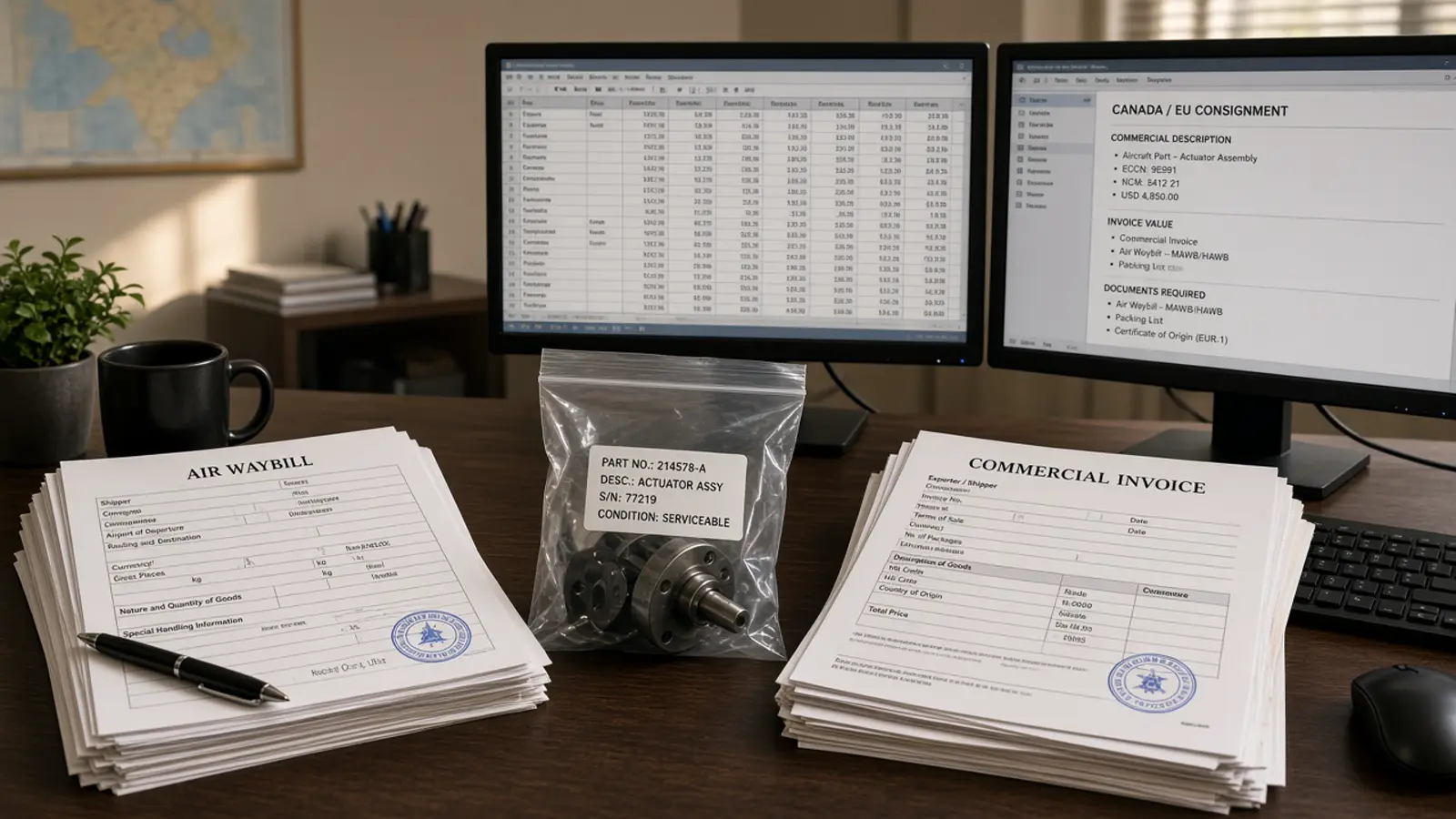
The useful first aviation customs task for ChatGPT is preparing a document review with sources, not clearing the shipment. If the prompt is “do the customs,” the model will invent origin, blend an invoice into a Form 1, or speak as if an entry was filed.
ChatGPT and Doana cannot autonomously clear a shipment. Doana extracts EASA Form 1. Filing stays in the system that is allowed to file.
Mixed aviation packets
The packet arrives as one PDF pile: Form 1, invoice, AWB, maybe an 8130-3. Silent “corrections” happen when ChatGPT picks the invoice quantity because it looks more complete, or fills origin from generic aviation knowledge. The operator never sees the conflict.
Use a document inventory, one supported extraction, and a discrepancy table that a named person owns. That is preparation. It is not clearance.
Give each supplied document a reference before any tool call. Ask what is present and which expected information is missing from the records you provided. Do not ask the assistant to fill gaps from the internet.
Document inventory
List each file with a type you already know: EASA Form 1, FAA 8130-3, invoice, AWB, or other. If you do not know the type, say unknown. Keep a release certificate separate from commercial and transport records in that inventory.
EASA’s Form 1 explanation describes its release-certificate role; it is not a substitute for a complete customs file. An FAA tag is not a declaration either. See how to read FAA 8130-3 with ChatGPT for transcription limits.
A first prompt that stays honest:
Inventory these files. For each, name the document type if it is visible, list identifiers you can see, and list missing evidence. Do not invent origin, value or procedure. Do not extract an EASA Form 1 unless the Doana tool is connected.
Extract only through the supported tool
For EASA Form 1, a configured Doana MCP connection can provide structured certificate data. Follow the ChatGPT setup guide, then submit one supported document and retrieve its result. Attach and call extract_easa_form1 in the same turn so the signed URL remains valid.
The public catalog does not expose invoice extraction, tariff classification or customs entry submission. Any comparison across other documents must be implemented and reviewed separately. There is no public REST POST /extract.
Poll get_extraction_result while status is dispatch_pending, queued, running, or outcome_unknown. Import only when status is succeeded, documentType is easa_form_1, and result is present. Do not start a second job because the chat timed out.
If the file is TIFF, Doana rejects it. PDF 50 MB / 20 pages, JPEG/PNG 20 MB. Five Form 1 files per UTC week.
Present discrepancies as a table
Ask for the document reference, observed value, conflicting value and responsible reviewer. For example, an item quantity that differs between records should become a discrepancy to investigate, not a number the assistant silently “corrects.”
Worked teaching row (invented, not a real shipment):
| Source | Field | Observed | Conflict | Reviewer |
|---|---|---|---|---|
| Form 1 DEMO-3 | quantity | 2 | Invoice INV-9 says 1 | Broker of record |
| Form 1 DEMO-3 | serials | ["SN-A"] (array) | Receiving list shows SN-A and SN-B | Receiving |
Preserve the extracted value. Record a correction separately. Keep uncertainFields visible. A language model’s suggestion does not supply documentary evidence for origin, valuation or procedure.
What stays out of ChatGPT’s authority
Filing, classification as a binding decision, duty payment, and external messages to customs stay out of ChatGPT’s authority. Treat missing origin, valuation or procedure as unresolved business input. Your organisation’s existing controls still own those steps. Doana still does not submit customs entries.
MCP transport success is not an accepted extraction result and not a filed entry. Keep job_id on the internal file so later staff can see what was extracted.
If the packet is FAA-only, do not send it to extract_easa_form1. Classify first. FAA API availability explains the current limit.
Troubleshooting the customs prompt
Expired ChatGPT attachment URLs, TIFF uploads and quota exhaustion are upload problems. documentType: unknown is not: it is usually a succeeded job with no Form 1, so do not retry it as an upload error. If DOWNLOAD_URL_EXPIRED appears, attach the Form 1 again and call extract_easa_form1 in the same turn. If the file is TIFF, export PDF, JPEG or PNG.
FILE_TOO_LARGE and TOO_MANY_PAGES mean send only the Form 1 pages, not the whole packet. MCP_QUOTA_EXHAUSTED waits until Monday 00:00 UTC unless paid credits exist. If documentType is unknown, keep that file out of the customs mapping spreadsheet — that is usually a succeeded job with no Form 1.
The EASA Form 1 MCP walkthrough is the retrieval reference. A chat paraphrase of an invoice is still not a Doana result.
Final handoff
Before data leaves the preparation workspace, confirm which records were reviewed and who accepted unresolved exceptions. Export only reviewed fields into the broker or forwarder system of record. Keep filing and external messages under your existing authorization process, not in the chat.
A useful close-out list: document references, job_id if an EASA job ran, fields accepted, fields on hold, next person. That list is the deliverable. “Customs done” is not.
Keep the extraction disclaimer on the handoff. Doana does not certify authenticity, airworthiness or regulatory compliance. Confidence is an estimate. Serial numbers stay arrays in whatever spreadsheet you paste into the broker tool.
Explore the customs agent workflow or build a customs document API integration. If you are still connecting the client, set up ChatGPT.